RateMyTool(s)
Community-driven review platform for UH Manoa students
RateMyTool(s)
Table of Contents
Overview
The Problem
UH Manoa students are constantly searching for effective online learning resources to supplement their coursework—from video tutorials and practice platforms to AI tools and study aids. However, there is no centralized, student-driven platform where they can discover which tools actually work.
The Solution
RateMyTool(s) is a community-driven review platform specifically for UH Manoa students to rate and review online learning resources, AI tools, and educational platforms. Similar to RateMyProfessor but for digital learning tools, students can:
- Search for resources by course code (e.g., ICS 314)
- Browse by category (e.g., coding practice, math tutoring, AI assistants)
- Search by tool name (e.g., Khan Academy, ChatGPT, Codecademy)
- View aggregate ratings and detailed student reviews
- Filter tools by specific UH Manoa courses
- Upvote helpful reviews and save favorite tools
- Receive personalized recommendations based on major and courses
Links
Deployment
The application is deployed and available at: RateMyTools on Vercel
User Guide
This section provides a walkthrough of the RateMyTool(s) user interface and its capabilities.
Landing Page
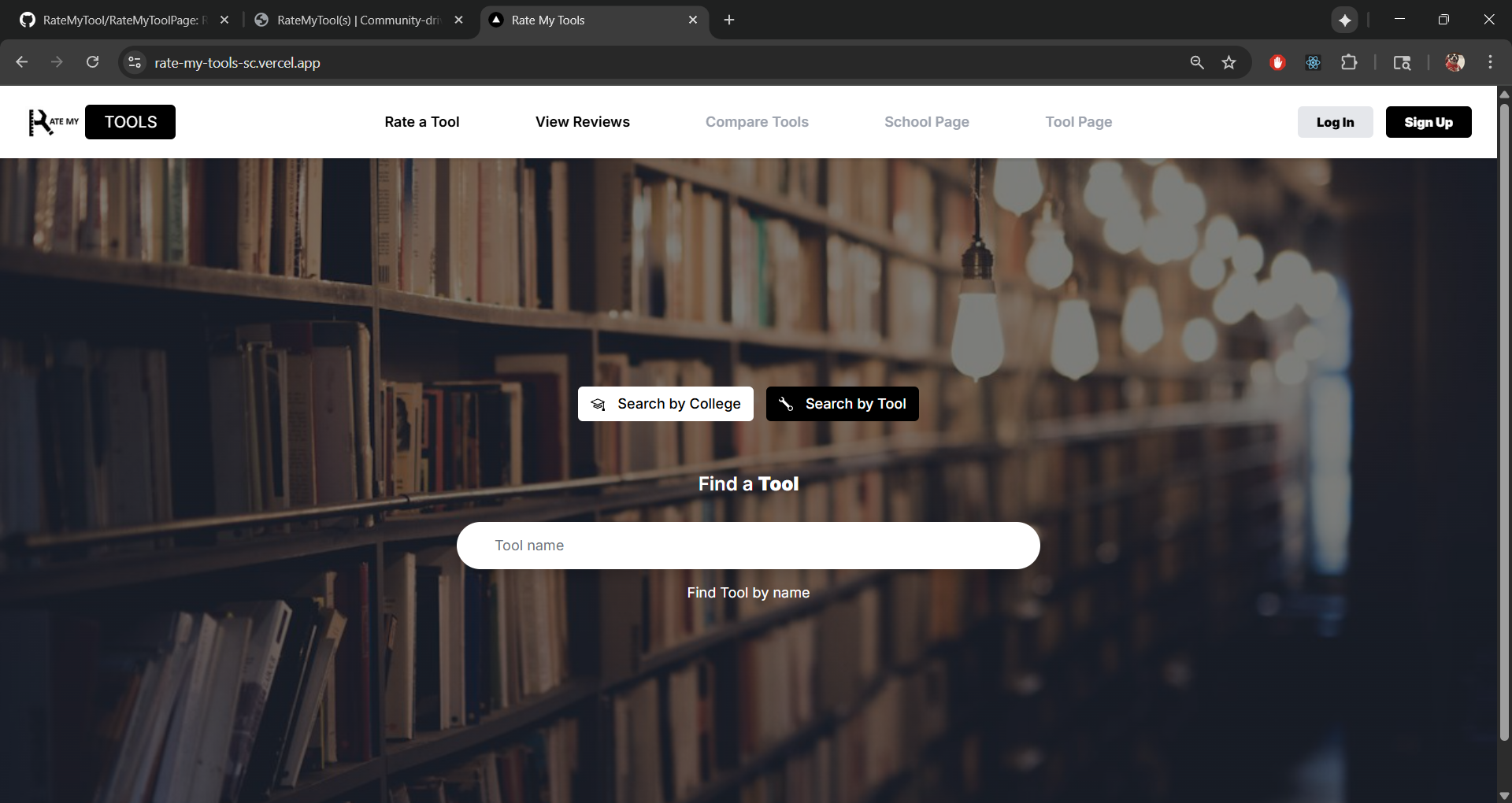
The landing page is presented to users when they visit the top-level URL of the site.
The landing page features:
- Overview of the platform’s purpose
- Search functionality by college or tool
- Prominent search bar for quick discovery
- Clean, modern interface with library-themed background
- Login and Sign Up options
Tool Directory / Browse Page
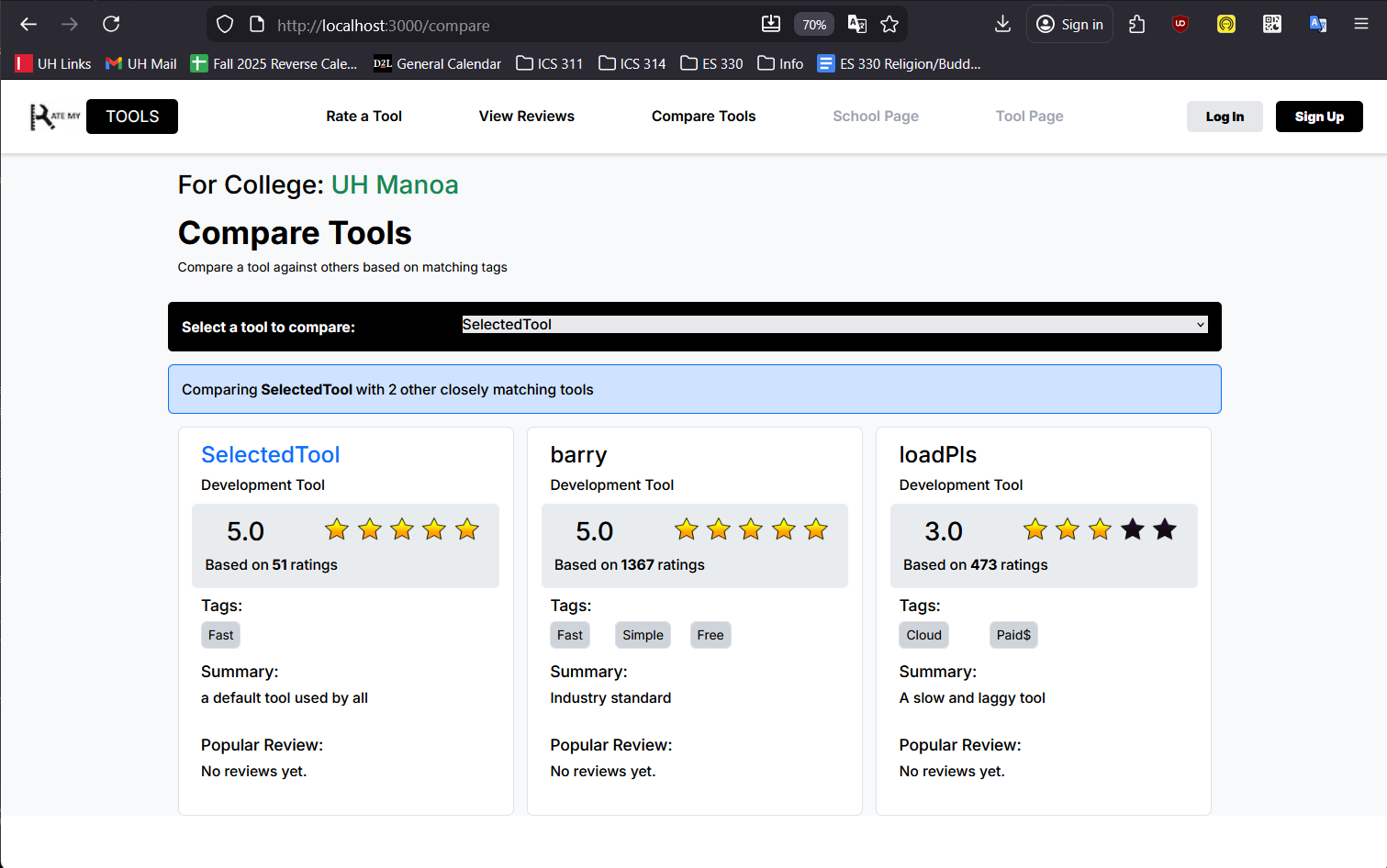
A searchable and filterable catalog organized by:
- Categories (AI Tools, Video Platforms, Practice Sites, Study Aids)
- UH Manoa departments and course prefixes
- Rating levels and popularity
Individual Tool Profile Page
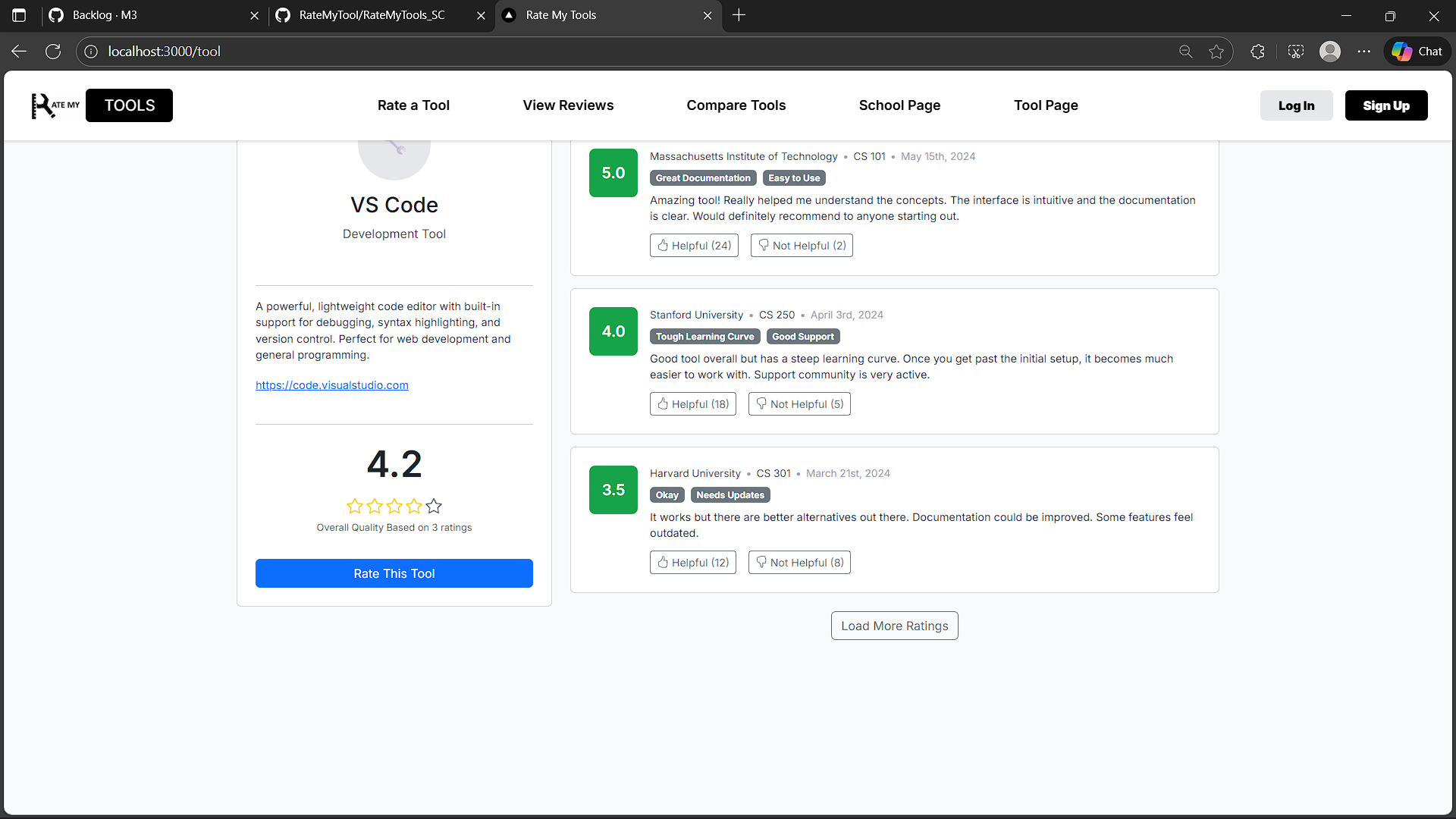
Each tool has a dedicated profile page displaying:
- Overall rating (5-star system)
- Student reviews with course tags
- Related/similar tools
- External link to the actual tool
- Course-specific feedback
Add Review Page
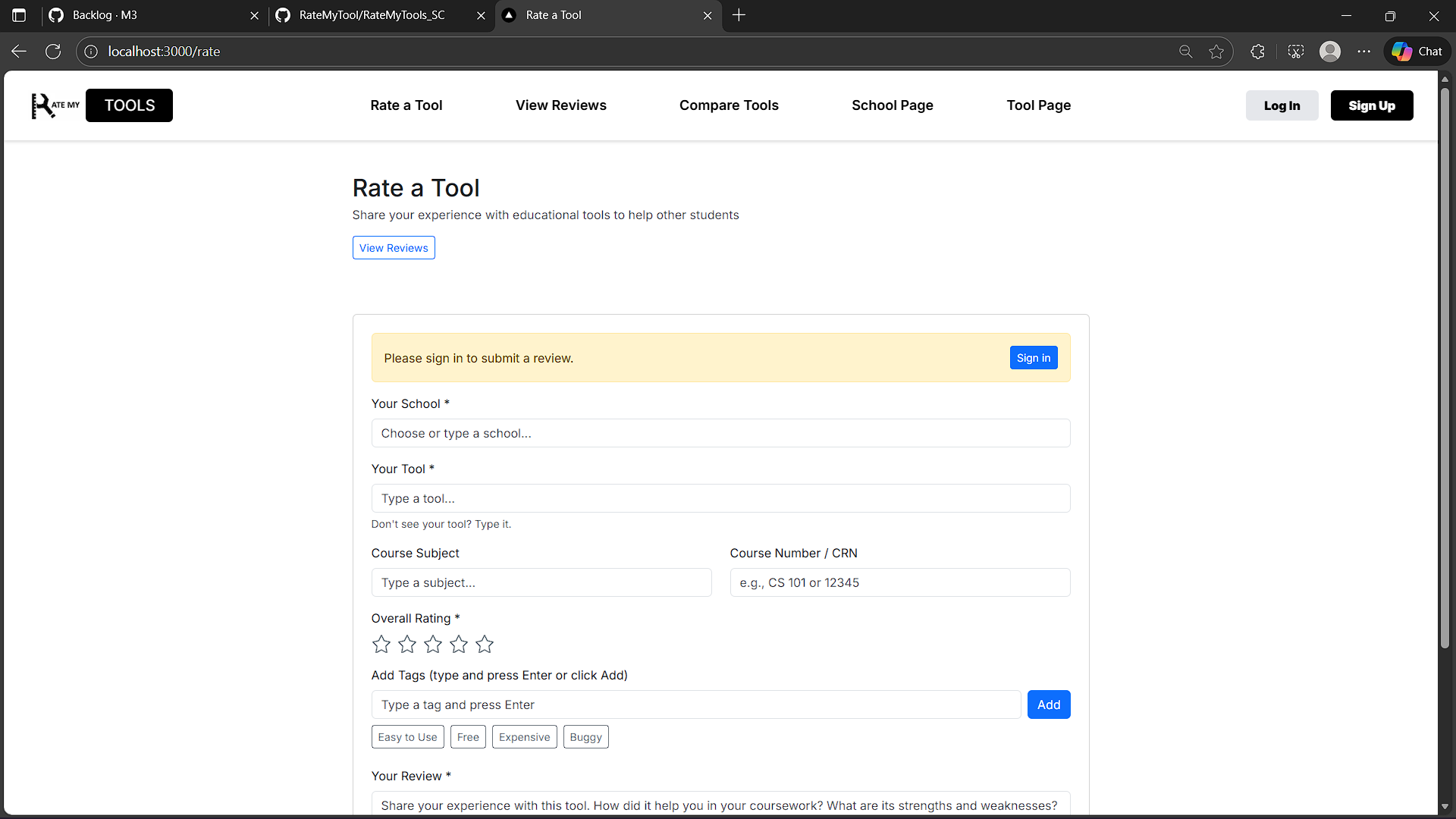
Form for students to:
- Rate a tool across multiple dimensions
- Tag relevant UH courses
- Write detailed feedback
- Specify major and year for context
Course-Specific Landing Pages
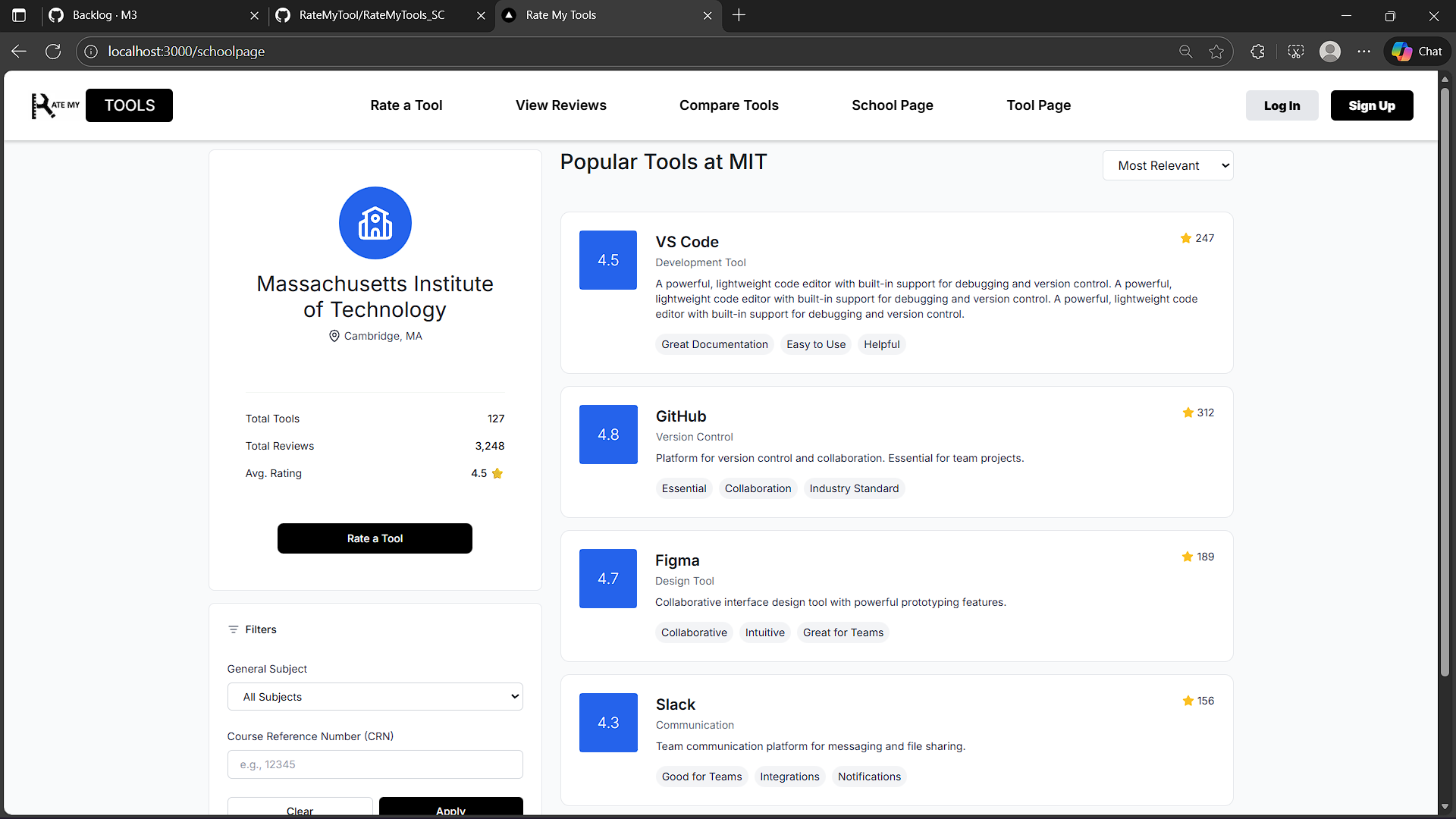
Dynamic pages (e.g., /course/ICS314) showing highly-rated tools reviewed specifically for that course.
Community Feedback
(This section will be updated with feedback from UH community members after deployment)
Developer Guide
This section provides information for developers wishing to use this code base as a basis for their own development tasks.
Installation
First, install PostgreSQL. Then create a database for your application.
Second, go to https://github.com/RateMyTool/RateMyTools_SC, and click the “Use this template” button. Complete the dialog box to create a new repository that you own that is initialized with this template’s files.
Third, go to your newly created repository, and click the “Clone or download” button to download your new GitHub repo to your local file system. Using GitHub Desktop is a great choice if you use MacOS or Windows.
Fourth, cd into the directory of your local copy of the repo, and install third party libraries with:
$ npm install
Fifth, create a .env file from the sample.env file. Edit the .env file to set the DATABASE_URL to point to your PostgreSQL database.
Running the system
Once the libraries are installed and the database is configured, you can run the application by invoking:
$ npm run dev
The first time you run the app, it will create default data in the database.
Viewing the running app
If all goes well, the application will appear at http://localhost:3000.
ESLint
You can verify that the code obeys our coding standards by running ESLint over the code in the src/ directory with:
$ npm run lint
Development History
The development process for RateMyTool(s) conformed to Issue Driven Project Management practices. In a nutshell:
- Development consists of a sequence of Milestones.
- Each Milestone is specified as a set of tasks.
- Each task is described using a GitHub Issue, and is assigned to a single developer to complete.
- Tasks should typically consist of work that can be completed in 2-4 days.
- The work for each task is accomplished with a git branch named “issue-XX”, where XX is replaced by the issue number.
- When a task is complete, its corresponding issue is closed and its corresponding git branch is merged into master.
- The state (todo, in progress, complete) of each task for a milestone is managed using a GitHub Project Board.
The following sections document the development history of RateMyTool(s).
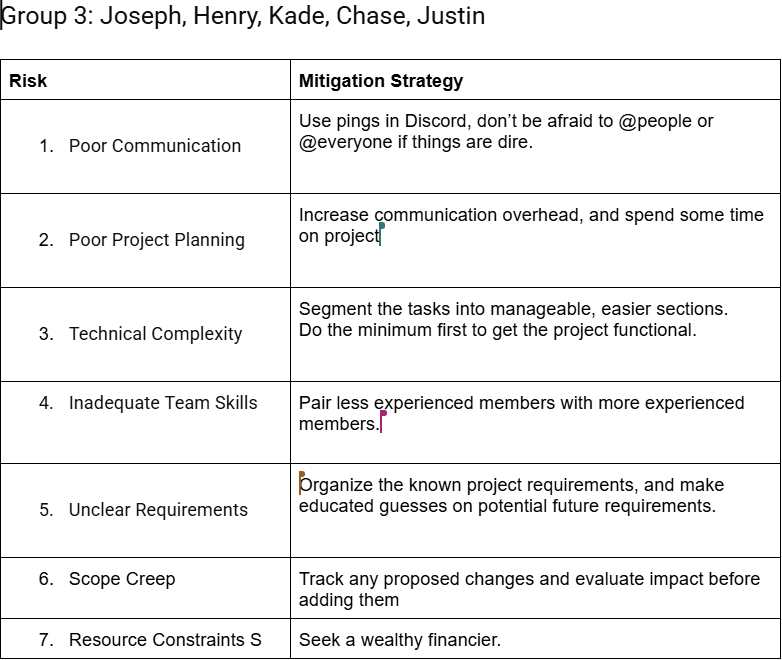
Table Risk Management Excercise
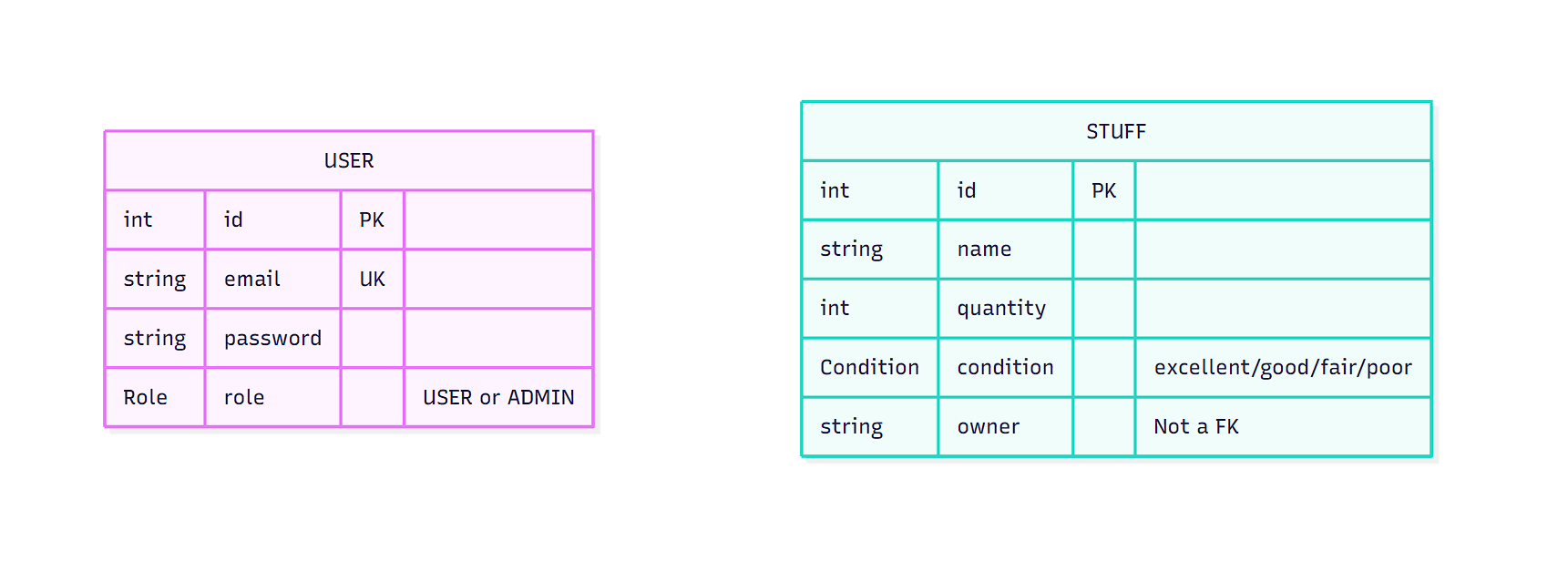
ER-diagram
Schema Prisma ER-Diagram
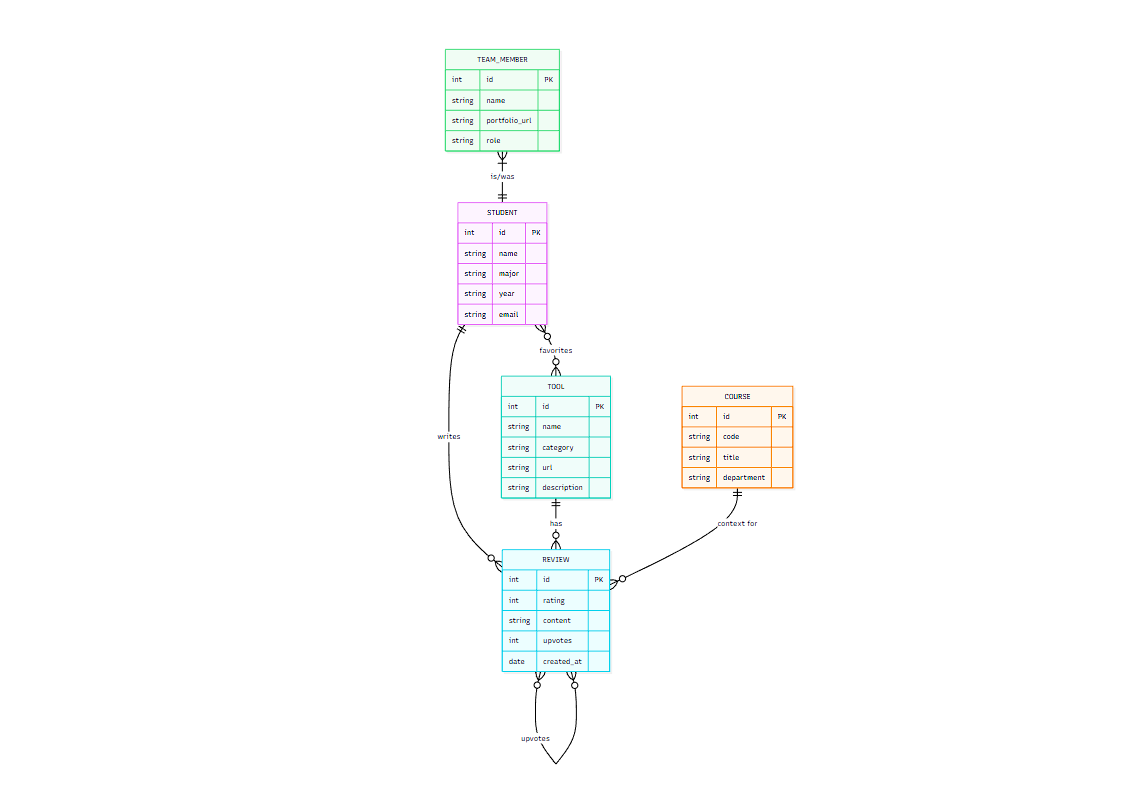
RateMyTools ER-Diagram
OpenAI Automoderation
RateMyTool(s) uses the OpenAI Moderation API to automatically screen user-submitted reviews for inappropriate content. When a review is submitted, it is sent to OpenAI’s omni-moderation-latest model, which analyzes the text and flags content that violates community guidelines.
The moderation system checks reviews against multiple categories including hate speech, harassment, violence, and other harmful content. If a review is flagged, it can be held for manual review or automatically rejected, ensuring the platform maintains a constructive and respectful environment for UH Manoa students.
Milestone 1: Mockup Development
The goal of Milestone 1 is to create HTML mockups of the pages in the system.
Milestone 1 is managed using RateMyTool GitHub Project Board M1:
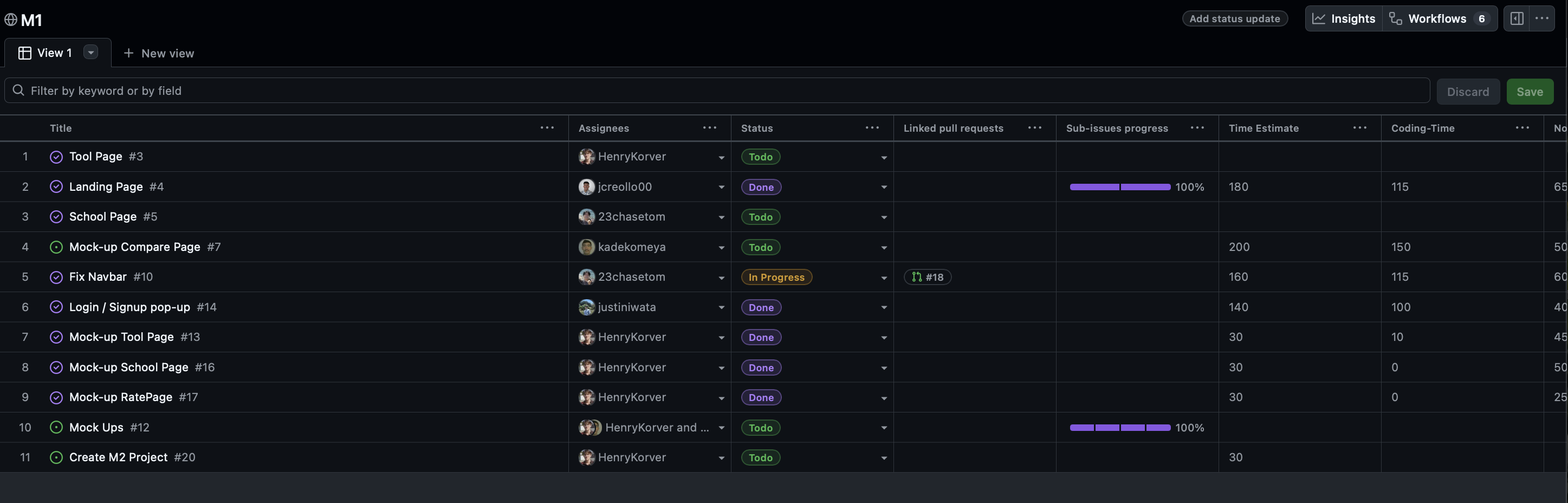
Milestone 1 consisted of five issues, and progress was managed with the RateMyTool GitHub Project Board M1:

Each issue was implemented in its own branch, and merged into main when completed:

Milestone 2: Data Model Development
The goal of Milestone 2 is to implement the data model and connect it to the user interface.
Milestone 2 is managed using RateMyTool GitHub Project Board M2:
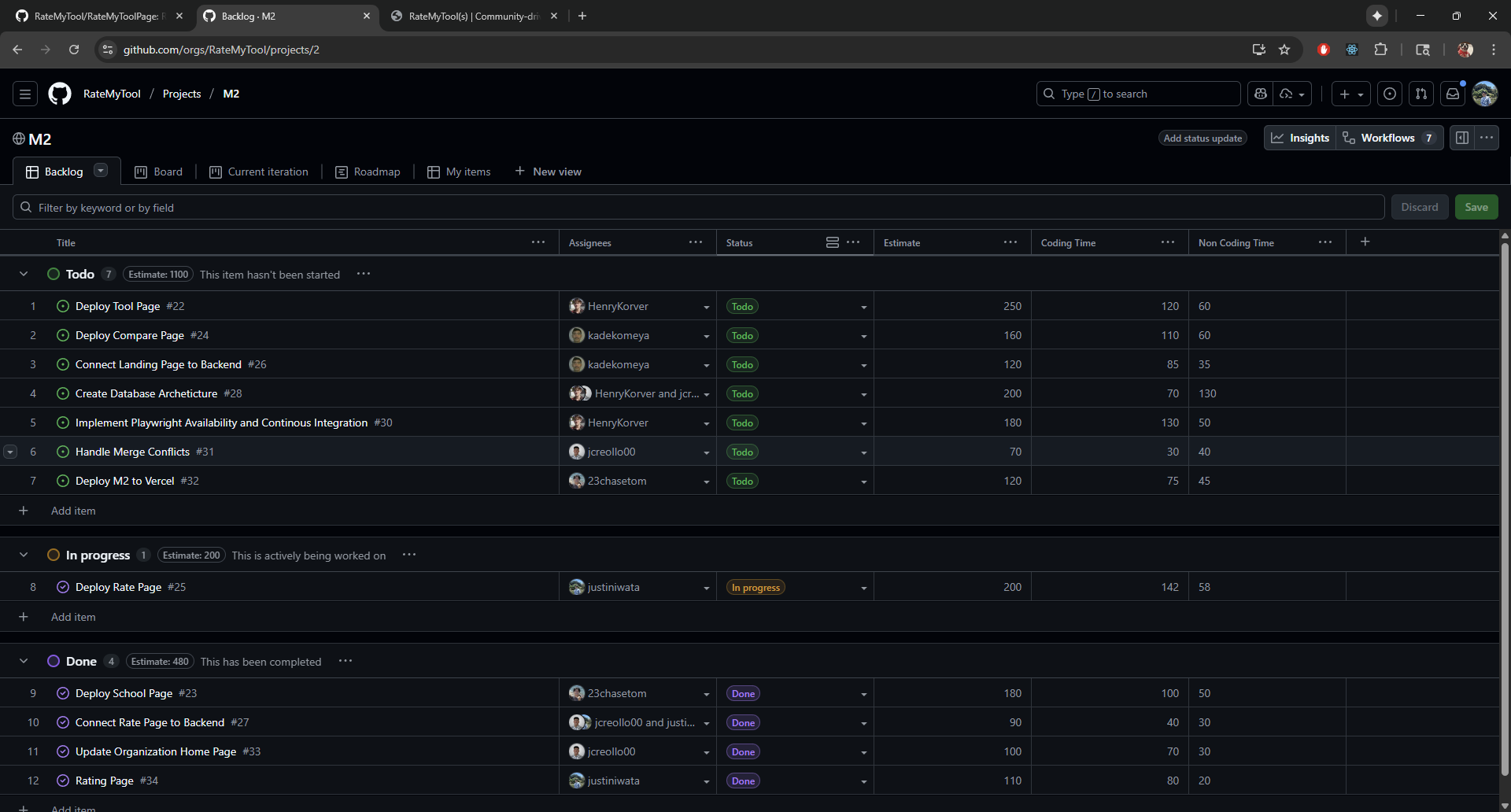
With Milestone 2 adding and implementing the 5 different pages or issues of the application and making sure it works with Vercel. With each issue was implemented into its own branch and merged into the main when its completed.
Milestone 3: Final Product
The goal of Milestone 3 is to significantly improve functionality, incorporate real data, gather community feedback, and prepare the system for final evaluation.
Milestone 3 is managed using RateMyTool GitHub Project Board M3:
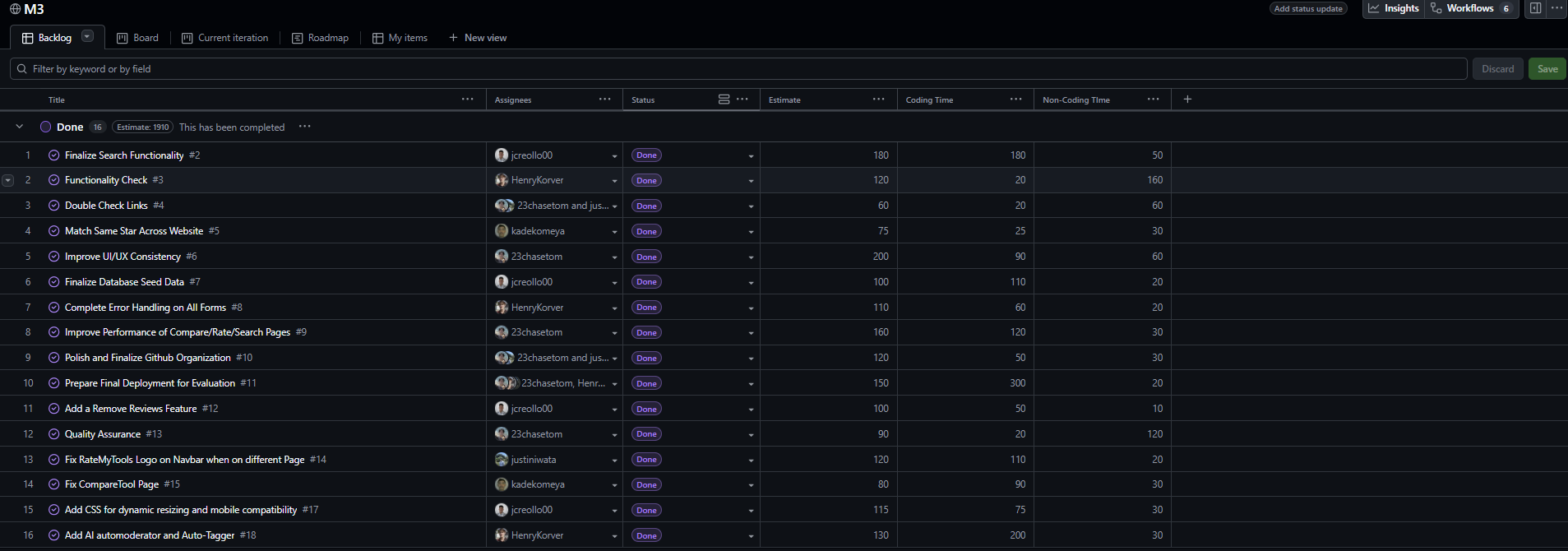
Milestone 3 consisted of sixteen issues focusing on polish, performance, and new features. The main work involved finalizing search functionality, verifying links, improving UI/UX consistency, and populating the database with real data. We added an AI automoderator and auto-tagger for robust content moderation, implemented a remove reviews feature, and completed error handling across all forms. Performance improvements were made to the Compare, Rate, and Search pages, along with CSS updates for dynamic resizing and mobile compatibility. Quality assurance testing ensured all features worked correctly before preparing the final deployment. Each issue was implemented in its own branch following IDPM guidelines and merged into main when completed.
Team
RateMyTool(s) is designed, implemented, and maintained by:
Team Portfolio Pages: